Author: Rudy

  • crapslesscraps.com

    crapslesscraps.com

    I recently returned from a work trip in Las Vegas, Nevada. I’ve always enjoyed playing live craps, but I discovered a new fondness for bubble craps, specifically the crapsless variant. If you aren’t familiar with craps in general it’s the famous game where everyone stands around a table and make bets on numbers while one of the players, called The Shooter, rolls the dice.

    A lively crowd gathered around a craps table in a casino, with players engaged in the game and a dealer presenting the dice.

    A lot of folks shy away from craps because they find the game confusing, but it really isn’t. At its core, it’s just making bets on the outcome of the dice roll, which can be any number between 2 and 12. As there are the most ways (6) out of 36 possible outcomes on two die to make 7, it is the most commonly rolled number. On a regular craps table, the way most people play is on the Pass line. On the pass line, 7 or 11 wins on the first phase of the game or the “come out” roll, while rolling a 2, 3, or 12 loses. Any other number becomes the point. From then on, the goal is to roll the point number again before rolling a 7. That’s it.

    So now that you’re a craps expert, crapsless craps is basically the same game except 2, 3, and 11, 12 can also be points. That’s really it. If you roll one of those numbers on the come out, they become the point, and you’re trying to roll the point number again before a 7.

    Like I mentioned above though, craps is just making bets on the outcome of the dice roll. So you don’t have to play that way. You can bet on any single number, multiple numbers, all the numbers, or even that all the low numbers or all the high numbers, or all the numbers that are not 7 will roll before a 7 appears (called the ATS bet) which I managed to hit during my business trip on the last night I was there:

    Display screen showing a hand pay amount of $3,006.89 for a craps game with betting options for low rolls, high rolls, and 'Roll'em All' on a green background.

    Anyway, when I got back home I wanted to play more, just for fun with play money. I looked, and there are different craps games I found online, but no crapsless craps! So I decided I would just write the game myself from scratch using some new frameworks while having an opportunity to test out some different AI tools and development patterns. Whenever I do this kind of stuff, I always have a strong instinct to make whatever I end up making available to other people, free of charge and free of ads or anything like that, just like other tools I’ve built for myself like my 5/3/1 workout program generator or any of the little games I made like Draw! or Lucy’s Adventure (Speaking of Lucy, my dog the game was named after, passed away 2 weeks ago at 16.5 years old 🥲).

    A dog sitting in a car, looking happy with its tongue out, next to a red water bottle.
    👼

    Anyway, I found the domain crapslesscraps.com was unregistered so I registered it then set up an auto deploy pipeline for merges to my master branch in version control to deploy the game there:

    Screenshot of the online Crapless Craps game interface showing dice rolling area, betting options, and player bank balance.

    So, if you like craps or want to learn more about it by playing online with play money, there is now a crapsless variant available for free at crapslesscraps.com 😊. If you have feedback for me about the game or find a bug, feel free to contact me.

  • What we read to our kids in May

    My wife and I love reading, and we may very well be some of the last in our generation that do not allow our kids to use tablets or similar screen technology. We spend dedicated time reading to our kids each day, and in turn, they read too.

    Two children sitting in car seats reading books. The boy on the left holds a book featuring Elmo, while the girl on the right reads a book with a picture of a frog.
    This is an actual photo of my kids that I took today, I just had AI paint it Ghibli style. They’re reading Elmo’s big lift-and-look book and Tad and Dad, respectively.

    In May, our kids’ school asked us to log everything we read to them, so we did. For the month of May we read a total of 280 stories to the kids, spanning 137 unique titles. The busiest day was May 13th, when we powered through 20 reads. Here’s a look at the month’s volume by day:

    A bar graph illustrating the daily reading volume for May, showing the number of books read each day with varying heights of orange bars.

    Interestingly enough, Friday was the day we read the least. I guess by the end of the week everyone needs a little break 😊. Perhaps unsurprisingly the middle of the week, Thursday, followed by Tuesday were the most popular days for reading:

    DayTotal readsDays in May ’25Avg. per day
    Thursday61512.2 ← busiest
    Tuesday46411.5
    Saturday53510.6
    Wednesday3749.25
    Sunday3248.0
    Monday3147.75
    Friday2054.0 ← quietest

    Our top‑five most requested books were:

    Llama llama nighty night (15 times), Where’s spot (11 times), Look look (9 times), I’ve loved you since forever (8 times), 123s of thankfulness (8 times):

    Bar chart displaying the top 10 children's books read in May, highlighting the number of times each book was read.

    Both of the kids bring us books, with my son being the oldest bringing us longer, more intricate titles like Disney Junior Storybook Collection which is a densely worded, 304 page book with 16 individual stories where each story is about 17 pages and takes about 5-7 minutes to read. On the other hand, our daughter brings us simpler titles like the frequent favorite Llama Llama Nighty Night which is only 14 pages and is a 1 minute read. We like to extend the reads by taking extra time on the shorter books, asking the baby questions like “what are they doing?” to which she would reply “tubby!” “tubby!” or ask her to interact: “pop the bubbles baby!” and she’ll take her finger and go “pop!” “pop!” “pop!”

    Some ways we help encourage these habits are by:

    1) Keeping a rotating list of books available at all times on the coffee table in the living room, where they can either bring a book to us to read, or start reading themselves:

    2) Have them observe us reading from our adult library:

    3) Keeping books in other places like the dining table, our vehicles, and in the kid’s backpack that contains other essentials like snacks and wipes.

    Here’s an image of some of their books that are pending placement in a bookshelf that I need to build for them:

    I talked to my wife, and we both agree we probably read to them less than normal because keeping the log was additional cruft that no one wanted to do 😆. In the first week of June it seems like we’re already reading a lot more.

    We also traveled across the country to multiple states this May, which probably accounts for some of the reduced frequency towards the end.

    One additional parenting hack/bonus is that, pretty much every day, the older one reads books to the younger one, though we didn’t count them here. Here’s the full log:

    May 01

    • Bambi
    • Don’t push the button
    • I can’t wait until Christmas
    • Look at the animals (x3)
    • Look look!
    • Mickey’s Christmas Carol
    • Sleep tight polar bear
    • The lion king
    • Very hungry caterpillar (x2)
    • What do smurfs do all day
    • Where’s spot (x3)

    May 02

    • Magic carpet ride
    • The little mermaid
    • Twinkle twinkle little star and other nursery rhymes

    May 03

    • A day on the farm (x2)
    • Ernie and the twiddlebug town fair (x2)
    • Hungry caterpillars first summer
    • Little Dino’s don’t yell
    • Llama llama nighty night
    • Look look (x2)
    • Very hungry caterpillar eats breakfast (x2)
    • Where’s spot (x2)

    May 04

    • Don’t push the button
    • I can’t wait til Christmas
    • Jungle book (x2)
    • Llama llama hide’nseek (x3)
    • Llama llama nighty night (x3)
    • Mickeys Christmas carol
    • My first book of learning (x2)
    • What do Smurf’s do all day
    • lion king

    May 05

    • Llama llama hide and seek (x4)
    • The little mermaid
    • The littlest Christmas elf (x2)
    • Words (x2)

    May 06

    • 1 2 3 with the little rubber ducks (x2)
    • Don’t push the button
    • I’ve loved you since forever
    • Little blue truck Christmas
    • Llama llama nighty night (x4)
    • On the farm (x2)
    • Rubbles big wish
    • The littlest Christmas elf
    • The very hungry caterpillar (x2)
    • Very hungry caterpillars first summer

    May 07

    • Birding for babies
    • Little Dinos Don’t Yell (x3)
    • Elmo (x3)
    • How are you – Como Estas (x2)
    • If you give a mouse a cookie
    • Little blue truck Christmas
    • Little blue truck Valentine
    • No butts
    • Pajama time
    • Sleep tight polar bear
    • Twinkle twinkle little star and other nursery rhymes
    • Where do diggers sleep at night
    • Where is your nose
    • Wild animals

    May 08

    • 1 2 3 with the little rubber ducks
    • A day on the farm (x2)
    • Don’t push the button
    • I can’t wait until Christmas
    • Into the unknown
    • Tod and Boddington – The chiefs dilemma
    • Twinkle twinkle little star
    • Very hungry caterpillar eats breakfast
    • Where’s spot
    • Wish (x2)
    • Words
    • frosty the snowman

    May 09

    • Hello my world
    • Little blue truck leads the way
    • Llama llama hide and seek (x2)
    • Look look (x2)
    • Where is your nose
    • Where’s spot
    • the little red caboose

    May 10

    • A porcupine named fluffy
    • Brown bear
    • Butt out
    • Don’t push the button
    • If you give a mouse a muffin
    • If you take a mouse to school
    • Junior woodchuck jamboree adventure in the USA
    • Little blue truck leads the way
    • Llama llama hide & seek
    • Llama llama red pajama
    • Look look
    • My first book of learning
    • The big orange splot
    • The dog I love best (x2)
    • The little mermaid
    • The runaway kite – adventure in Japan
    • This is baby
    • Wild animals

    May 11

    • 123s of thankfulness
    • Elmo
    • Twinkle twinkle little star and other nursery rhymes

    May 12

    • 123 with the rubber ducks
    • A day on the farm
    • How are you
    • Little Dino’s Don’t yell (x3)
    • The Prince and the pauper
    • The big orange splot
    • Where’s spot

    May 13

    • 123s of thankfulness
    • A day on the farm (x2)
    • At the farm
    • Good night biscuit
    • Little traveler landmarks
    • Llama llama babysitter
    • Llama llama nighty night
    • Look Look
    • Porcupine named fluffy (x2)
    • Sleep tight polar bear
    • The big orange splotch
    • The rescuers
    • The very hungry caterpillars first summer
    • This is baby
    • Twinkle twinkle little star and nursery rhymes
    • Very hungry caterpillar eats breakfast
    • Where is your nose
    • good night biscuit

    May 14

    • 123s of thankfulness
    • Twinkle twinkle little star and other nursery rhymes
    • Where is your nose
    • the wonderful things you will be

    May 15

    • 123s of thankfulness
    • A day at the farm (x3)
    • Baby’s first library words
    • I’ve loved you since forever (x4)
    • Llama llama nighty night (x4)
    • Sleep tight polar bear
    • The big orange splot
    • the very hungry caterpillar

    May 16

    • 123s of thankfulness (x2)
    • Llama llama nighty night (x2)
    • Twinkle twinkle little star
    • We love kindergarten

    May 17

    • Elmo
    • I’ve loved you since forever (x2)
    • Little blue truck Christmas
    • Llama llama babysitter
    • Llama llama hide and seek
    • Llama llama red pajama
    • Sleep tight polar bear
    • Smitten with a kitten
    • The dog I love best
    • The last PupIcorn
    • Wild animals

    May 18

    • 123s of thankfulness
    • My first book of learning
    • Oh the places you’ll go
    • Tarzan
    • The big orange splot
    • Where’s spot

    May 19

    • A little emotional
    • Big book of learning
    • If you give a mouse a cookie
    • If you take a mouse to school
    • K is for kindness (x2)
    • Olivia

    May 20

    • Dirt lift and flap
    • Very hungry caterpillar
    • Where do diggers sleep at night
    • christmas on Sesame Street
    • oh the places you’ll go
    • sit stay love
    • where’s spot

    May 21

    • A walk in the park
    • Disney Junior Storybook Collection – Hawaii PugO
    • Little blue truck valentine
    • The last pupicorn

    May 22

    • 123s of thankfulness
    • Disney junior storybook collection – panda excess
    • Disney junior storybook collection – the last pupicorn
    • Disney junior storybook collection – vampire for president
    • One leaf two leaves count with me
    • The ghost in dobbs diner
    • The last pupicorn
    • Very hungry caterpillar eats breakfast
    • Where’s spot

    May 23

    • Alice in Wonderland

    May 24

    • A little emotional
    • Llama llama red Pajama
    • The little red caboose
    • Twinkle twinkle and other rhymes

    May 25

    • Dear boy
    • Pup pup and away
    • Rumble in the jungle
    • Sleep tight polar bear
    • a little emotional
    • Disney junior storybook collection – hawaii pug-o
    • gazpacho for nacho
    • where’s spot

    May 26

    • Brown Bear brown bear
    • Curious George and the puppies
    • Elmo
    • First words
    • The dog I love best
    • Where’s spot

    May 27

    • The Hungry caterpillar eats breakfast
    • The last pupicorn
    • Twinkle twinkle little star

    May 28

    • 10 little piggies
    • A walk in the park
    • First words
    • Good night moon
    • I’ve loved you since forever
    • Look look (x3)
    • Looking for mommy
    • The last pupicorn

    May 29

    • How much I love you
    • It’s pajama time
    • Look look
    • This little piggy
    • You’re my little sweet pea (x2)

    May 30

    • The very hungry caterpillar eats breakfast

    May 31

    • Let’s go to the zoo
    • The last pupicorn
    • The very hungry caterpillar eats breakfast (x3)

    This post was written without the assistance of AI.

  • What I’m using

    What I’m using

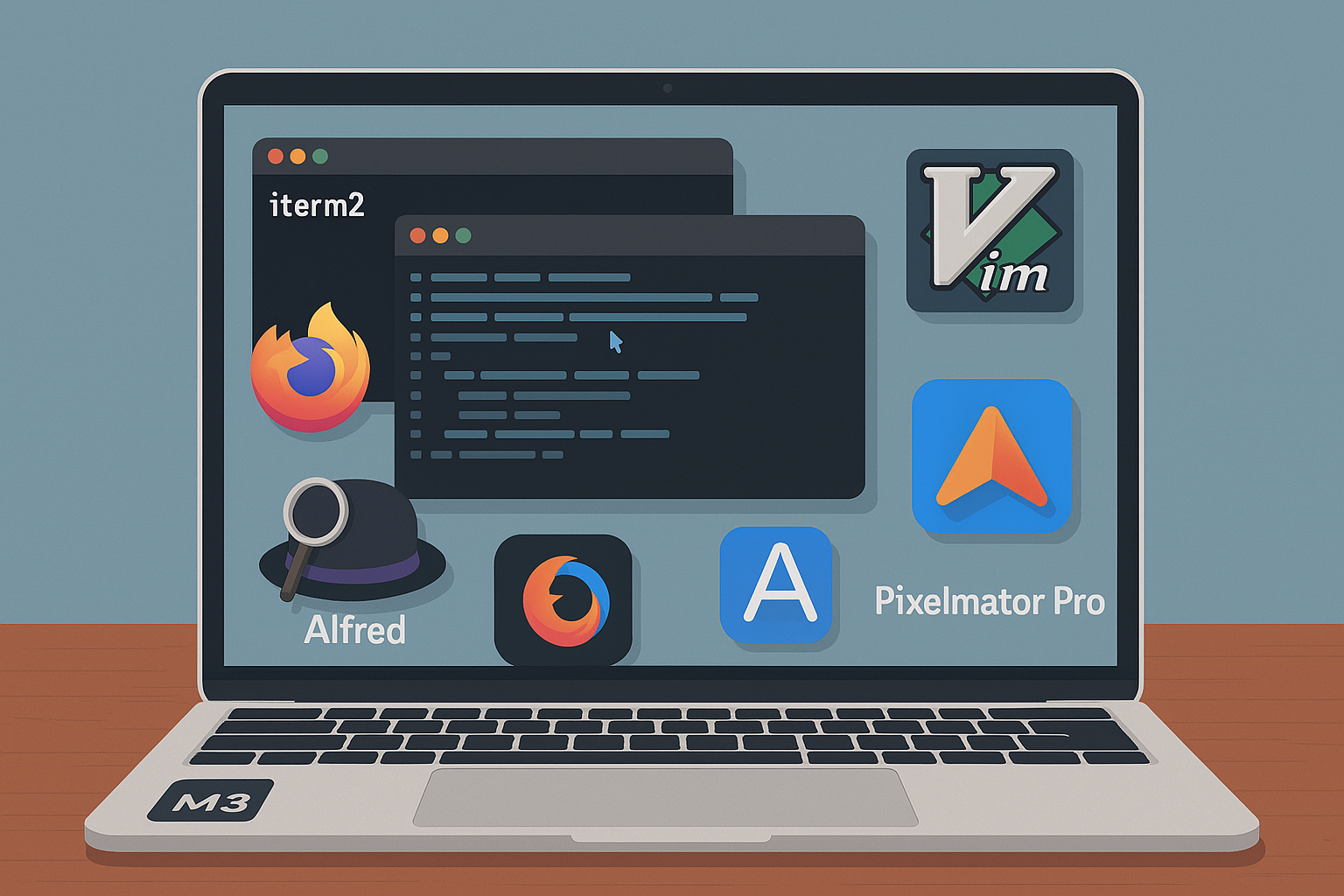
    One of the challenges of working remotely is that you lose the benefit of “over-the-shoulder” learning. You don’t get to see what tools your coworkers are using or pick up on small productivity hacks just by being near them. So, I wanted to write this post to share some of the stack and software I use every day – my daily drivers – in hopes that it might help someone else out there level up their workflow or solicit feedback on what you are using and level up mine 🙂

    Basic Stack

    I use a 16″ Macbook Pro with an M3 chip (48G RAM/1TB SSD) as my primary work machine. I find Macs to be unparalleled in laptop user experience. The keyboard is excellent, the trackpad second to none, the display is great, and the fingerprint reader integrating with everything is an awesome bonus.

    I used to be a guy that had to have a “command center” – multiple monitors, a fancy mechanical keyboard, an expensive mouse, and everything arranged just so. But I found that I lost a little productivity if I was at a meetup, traveling, in a data center, or really doing anything except being in my command center. I just accepted this – I’m less productive when I’m not at home.

    Then I talked to a colleague, Demitrious Kelly one late night, and he was telling me about how he only uses his MacBook because “it’s the tool I always have”. This statement caught me completely off guard, because I expected someone like him to have a crazy setup to produce the kind of work he does – tiene mucho talento. But he challenged me to try using only the Mac.

    That was about six years ago, and I’ve exclusively used my MacBook for work since then with nothing else, no peripherals. Since then, it doesn’t matter if I’m at home, on a plane, at a conference, or in a car – my output is the same. That simple statement revolutionized the way I work:

    I use Firefox as my preferred browser because it’s open source and Google has enough of my data without including everything from my browser. Mozilla changed the longstanding “Copy Link Address” hotkey from “A” to “L” in Firefox 88 which really, really disrupted my workflow, so I wrote an extension to change it back which I can’t live without: https://addons.mozilla.org/en-US/firefox/addon/link-copy/. In addition to this extension, I use the Alfred Browser Integration (more on that later) and Proxy SwitchyOmega which is a tool that allows you to create proxy rules based on hostname or IP which is critical for systems tasks like interacting with servers via IPMI… and that’s it for browser extensions.

    I use iterm2 as my terminal emulator because it kicks serious ass and is easily one of the best free pieces of software I’ve ever used. Some configurations I like for using it include setting the terminal backscroll to 50,000 lines (from 1,000) profiles > {profile} > terminal, a hotkey to send iterm2 to the back of all windows or bring it to the front (I use control + z), and this tab style arrangement for windows:

    I use ctrl+tab to cycle through the tabs or option + {number} to jump to a specific window. You can do all kinds of other cool stuff with iterm2 as well, broadcast commands to all windows, anything you can imagine really. It’s really well designed software and I highly recommend donating to the developers for the incredible gift they have provided nerds everywhere simple smile.

    I use zsh as my shell since it’s the default in MacOS (though I write all my scripts in bash) and some small customization via oh-my-zsh but really only for visual stuff like easier to read text and git information on my prompt:

    In general, I try REALLY HARD to try and stick with the defaults wherever possible. This is because I work on servers and docker containers and kuberenetes pods and other remote hosts where the state and configuration of said host machine is often unknown and may not even be modifiable at all. So, much like the laptop theory, I try to learn and get proficient with the tools I will always have. I don’t need the fancy stuff from oh-my-zsh to work on a remote machine, but I might suffer if I spent time getting used to fzf for file browsing, for example.

    This of course brings me to my default editor. I use vim:

    Vim is pretty much available everywhere by default and it always works the same – it’s the tool I always have. This is good. On my Macbook I have shellcheck integrated, but it’s not really a requirement — and that’s it for plugins. For vim preferences, I’ll use the defaults in most cases or some very basic .vimrc customization if it’s a long term host like the servers in my homelab, but again, I try not to do too many things that will make me useless or less productive if I don’t have them. Here’s a link to my very simple/basic dotfiles.

    Software

    One recurring theme about the software I use – I try to avoid SaaS at all costs. In general, if I can’t pay for it once and have it forever – options to pay to upgrade major versions are okay if the software is good enough – but paying monthly or it stops working? no. If I can’t find this or something that doesn’t need my specific need, I usually write a small program that does it. For example:

    HackerNewsIcon – A macOS menu bar app I wrote that monitors Hacker News for top posts. Displays trending articles and notifies you when a new post reaches your set score threshold:

    My colleague Chris Laffin somehow found this gem of a text editor app called TextMate which is another incredible piece of free software probably only second to iterm2 in the value it provides for its price. He put me and a few other systems folks onto it and we’ve been using it ever since. Native, performant, awesome. I use this like a scratch pad to hold temporary information or perform work that works better in a visual environment where it’s a better buffer than vim – and there are usually plenty of use cases for this: log files, for example.

    Alfred – can’t live without this one, and I know most of my fellow Automatticians already use this or know about it. Alfred is basically my go-to for everything. I use it as a spotlight replacement and basically as the interface to my machine in parallel with my terminal. I can press command+space and instantly open any file on my system, run a translation, run something through an LLM (locally via ollama or remote), search anything in MGS/Slack/Matticspace, lock my machine… it’s basically how I use my computer. I also have hundreds of snippets for anything I have to type more than a few times including long terminal commands, common troubleshooting instructions, hell, even typing wp; expands to WordPress.com simple smile. As mentioned previously, I also have the browser integration installed so I can search any of my open browser tabs through this interface. As anyone who has went down a troubleshooting rabbit hole knows, this is a game-changer. Need to go back to that collins tab you were looking at 20 tabs ago? command + space then tab collins — game. changer.

    Adium – I use this as a WordPress.com Jabber client to monitor p2s and get an instant notification when a new post, comment, etc is propagated. I get a lot of comments on how fast I reply or react to posts. This is my secret sauce 🙂

    Magnet – I use this as a window manager. In general my screen is chaotic and and not all organized, but I have the magnet keyboard shortcuts memorized to quickly arrange something side by side or in quadrants if needed. I think MacOS might do window management by default now, but I’m used to Magnet and it was a one time purchase / not SaaS so I reap the benefit of being used to it and owning it forever 🙂

    Pixelmator Pro – It’s like photoshop except maybe better and it was a one time purchase 🙂 — totally worth it. I use it for all my image generation needs. Well, almost all…..

    ffmpeg – I mean this thing does everything. Video conversion, image conversion, video to gif, all kinds of other weird stuff. You may not know how to do it, but ffmpeg supports it

    Amphetamine – this thing is cool. It keeps your mac display awake for however long you set it. I love software like this. It does one thing, does it well and does it reliably. I don’t want to modify my mac settings to do stuff, like keep the mac from sleeping when I’m running a time machine backup, so I set Amphetamine to 6 hours and lock my machine. Easy. Done. Never thought about it twice.

    k9s – k9s is a TUI interface for managing a kubernetes cluster. This thing is invaluable and every day I pay homage to my colleague Chad or teaching me about it. I used to use Lens, but then they wanted money so I converted and haven’t looked back:

    Wireshark – The industry standard tool for analyzing packets. Use it all the time in debugging.

    ntfy.sh – This thing is a pretty cool notification app. I use it sometimes to send non-sensitive information to my phone. do thing; when done curl -d "$HOSTNAME thing is done" ntfy.sh/rudy_notification and I get a notification on my phone when thing is done. Cool.

    Textual 7 – I use textual as do most other folks in systems at Automattic to interface with IRC. It’s a native app and I’ve tried lots of others and this thing seems to be the best. Per channel notifications based on string matches is the number one thing that makes this thing useful to me. The interface is also compact and easy to use.

    Some other things obviously should go without saying – like yes I’m using Slack as my ephemeral communication tool and Homebrew as my Mac package manager. Yes I use Spotify to listen to music (one of the only app-based subscriptions I have!!!).

    And that’s pretty much it. One of the first concepts taught when I was learning how to program computers was KISS, or, Keep it Simple, Stupid! and I’ve tried to carry this advice throughout my career and life when it comes to tech. Abstraction kills, simplicity scales, always apply first principles to every problem.

    I would love to field questions about anything I’ve written here or hear from you about the software you can’t live without. Feel free to DM me or, even better, leave a comment here to discuss so all may benefit 🙂

    This post was not written with the assistance of AI 🙂

  • Running Isolated Network Containers with NordVPN: A Privacy-First Approach

    Running Isolated Network Containers with NordVPN: A Privacy-First Approach

    In today’s digital landscape, privacy has become increasingly important. While many of us use VPNs on our personal devices, integrating VPN capabilities directly into containerized services offers a powerful and flexible approach to network isolation.

    Here’s how a simple Docker container with NordVPN can transform your self-hosted services.

    The Power of Isolated Networks

    When running services on your home server or Linux machine, those services typically share your home network’s IP address. This presents a few challenges:

    1. Privacy Exposure: All services inherit your home network’s digital footprint
    2. Network Isolation: Limited ability to route specific services through different network paths
    3. Fine-grained control: You can of course VPN the entire machine, but you may not want to do that.

    Using Docker containers with built-in VPN capabilities solves all three of these problems elegantly.

    Why Container-Level VPN Matters

    The real power of this approach is the separation of network concerns:

    • Your host machine maintains its original IP address and network settings
    • Individual containers can operate on completely different networks via VPN
    • Multiple containers can use different VPN connections simultaneously
    • Network traffic is isolated at the container level

    This architecture provides an exceptional level of control over your network topology without modifying your host machine’s configuration.

    The docker-nordvpn-transmission Project

    I recently published a project that demonstrates this concept perfectly: a Docker container that runs NordVPN with the Transmission BitTorrent client built-in. Everything works out of the box, you just need to pass it a token and a few config options.

    The magic happens through a few simple components:

    • A Dockerfile that builds an Ubuntu container with the NordVPN client and Transmission
    • A startup script that handles the VPN connection before any services start
    • Docker Compose configuration that provides the necessary container capabilities
    • Helper scripts to verify and change VPN connections on the fly

    With a single docker-compose up -d command, you get a container that:

    1. Establishes a secure NordVPN connection
    2. Starts Transmission with a web interface accessible on your local network
    3. Routes all Transmission traffic through the VPN
    4. Maintains its own unique IP address completely separate from your host

    Beyond Torrenting: A Pattern for Network Isolation

    While Transmission is included as a useful example, the real value is the pattern. This is kind of the most important part of the proof of concept for me.

    This same approach can be applied to:

    • Web scrapers that need to appear from different regions
    • Media servers accessing geo-restricted content
    • Development environments that need to test region-specific features
    • Security tools that benefit from network isolation
    • Any service where you want network separation from your home IP

    The Simplicity Is the Innovation

    What makes this approach powerful is its simplicity:

    services:
      vpn-container:
        build: .
        cap_add:
          - NET_ADMIN
        devices:
          - /dev/net/tun
        environment:
          NORDVPN_TOKEN: "your_token"
        # Mount your service config and data here
    

    With just these few lines in a Docker Compose file, you can create containers with completely isolated network stacks. The pattern is reusable across any service you want to isolate.

    Want to try this for yourself? The full project is available here:
    👉 https://github.com/rfaile313/docker-nordvpn-transmission

    You’ll need:

    • A NordVPN subscription and API token
    • Docker and Docker Compose installed
    • Basic familiarity with container concepts

    The repository includes everything needed to get started, including helpful scripts to check your container’s IP address and verify it differs from your host machine.

    Network isolation shouldn’t require complex networking setups or modifying your host machine’s configuration. With Docker containers and NordVPN, you can create isolated network environments for specific services with minimal setup.

    The real power is in the pattern itself — a foundation for building privacy-focused containerized services that operate on networks completely separated from your home infrastructure.

    Questions about this? Feel free to ask me 🙂

  • Claude kind of sucks

    Claude kind of sucks

    So there’s been a ton of hype around Claude, and I recently watched the Fireship video talking about how good Claude 3.7 is—how it outperformed all these other models, this, that, blah blah—to the point where I actually became interested in it. It isn’t that normal for me to be interested enough to try some new AI tool. Don’t get me wrong: I think AI is cool, and it’s really nice for handling a lot of otherwise mundane and boring tasks, but if you’re trying to use it to solve new or complex problems…it’s usually more trouble than it’s worth.

    In my experience, you really need to be familiar with the problem you’re asking it to solve. Otherwise, you’ll have no idea if it’s correct or not because, at their core, these LLMs are just trying to predict the next sequence of words that will make you happy. They’re not thinking. Sure, they’re getting more advanced, with backstops and more complex reasoning models, but at the end of the day, they’re just text prediction models.

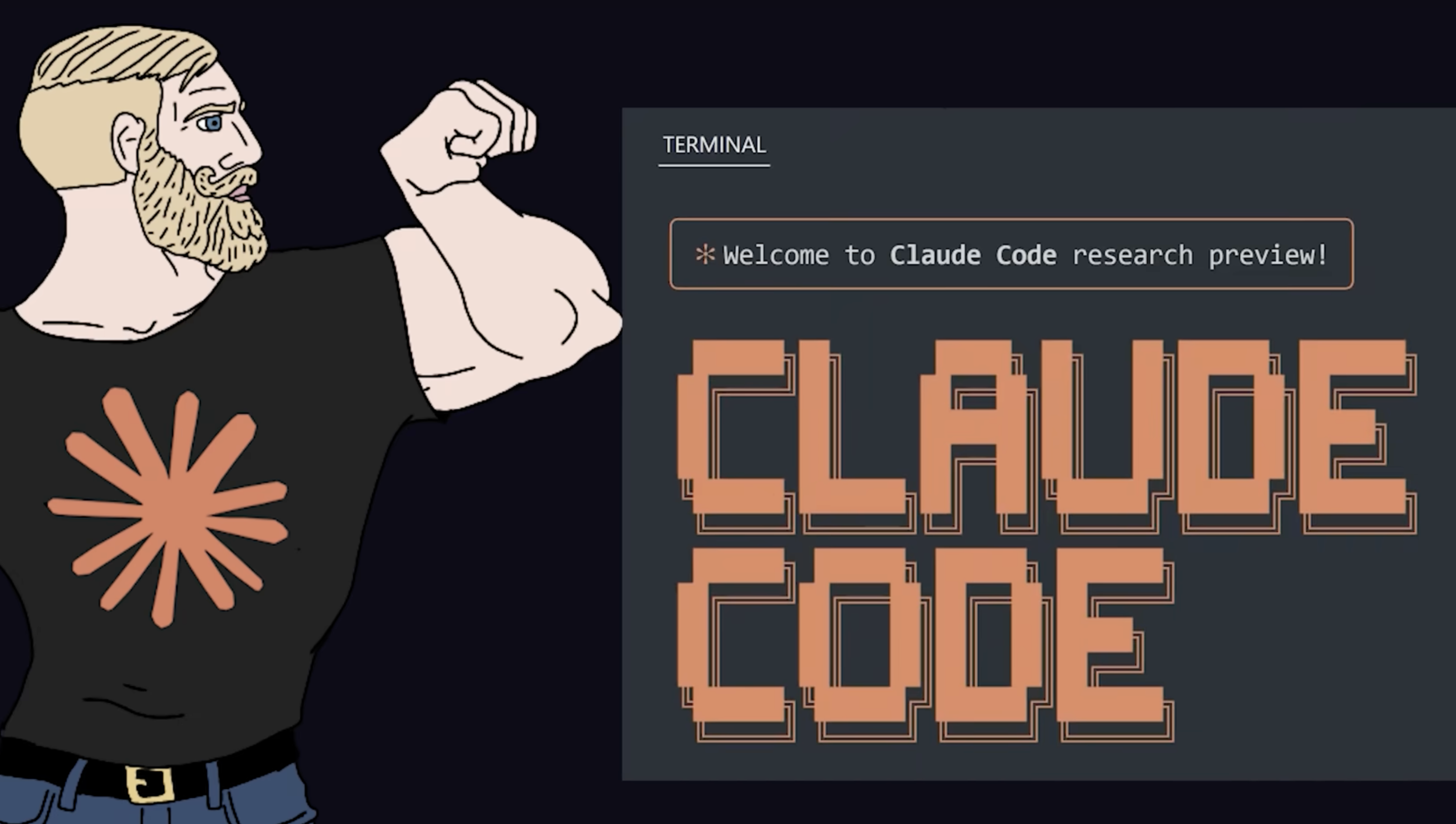
    Anyway, I say all of this because I actually paid the money, downloaded the Claude Code Terminal thing, and tried to get it to do something really simple. My prompt: I have a Mac running Sequoia 15.3.1, and I want you to put an icon at the top of the Mac. It doesn’t need to do anything, it just needs to be there and when I click it I should see a dropdown menu. If you know anything about Mac development, all that means is a Mac app that’s agent-only—it has no Dock icon, just an icon at the top of the screen. Simple enough, right?

    Wrong. This thing, in like five dollars’ worth of prompts over multiple sessions, could not put an icon at the top of the Mac. It was ridiculous. It got so bad that, by the time we were finished, it was telling me there was probably a problem with my system and that I should reset the NVRAM on my Mac or take it to get repaired. lol.

    This so-called advanced, crazy-good model? I am not sure what people are using it for. From what I can tell from the fireship video, it’s really good at solving LeetCode problems—which I have not found to be that useful when actually trying to actually build things—or supposedly it’s great for front-end web development, like TypeScript or React or whatever. But when it comes to putting an icon at the top of a Mac, it is… um… not good.

    Anyway, after multiple tries, multiple sessions, multiple prompts—five dollars’ worth of credits, which is a lot of tokens—I went to ChatGPT. Not even their advanced o1 model, not the research mode, nothing crazy, just regular GPT-4o. I asked the same thing, and first try, it gave me the code and instructions to put an icon in the freaking Mac 😆.

    So yeah, I’m not sure if Claude is as good as everyone’s making it out to be or if perhaps it just can’t put an icon at the top of a MacOS computer. I still think AI is more of a supplemental tool than a developer replacement at this point.

    All that being said, the reason I wanted an icon in the first place is that I check Hacker News daily, and it’s easy to forget to go there. Sometimes there’s nothing good, and sometimes I just forget. So what I wanted was a little icon at the top of the Mac that would show the newest five items from Hacker News with over a certain threshold of points—by default, 250, but that can be changed in the preferences.

    That way, whenever I open my Mac, the most recent popular posts with over 250 points are right there. I set it to check once an hour throughout the day, so if something new pops up that meets the threshold, I get a little blip—a beep, a ping, whatever—and it reminds me, oh, OK, maybe there’s something interesting there. And if it gets too noisy, you can just increase the threshold, or if you want to see things more often, you can decrease it. If something looks interesting, clicking it will take you directly to the article:

    Easy. Super easy.

    So yeah, if that seems interesting to you too, here’s the link to the app/code. You can either build from source or just download this zip, unzip the app, and run it.

  • Replacing a Failed SSD in My Dell Optiplex 9020 Homelab Server

    Replacing a Failed SSD in My Dell Optiplex 9020 Homelab Server

    Hey everyone,

    So, my homelab decided to throw me a curveball this week. The SSD in my trusty Dell Optiplex 9020, one of the servers running in my half rack, decided it was time to retire. Drives fail all the time, and since I had to replace it anyway I thought I’d film it and upload to YouTube to help someone that’s never done it before. Hopefully someone finds it useful!

  • Journaling, Blogging, and Embracing Imperfection

    Journaling, Blogging, and Embracing Imperfection

    Hello, hello! I know it’s been a long time since I’ve made a post on here. My last proper blog post was on February 1st, 2021 😱. I wrote about the Global Game Jam Contest that I participated in that year. The only other thing I posted was my “Life at Automattic” post on August 8, 2023, which wasn’t a true post from me—it was just a repost of an article I had been featured in at work. I wanted to blog more, but every time I thought about it, I considered the work that goes into it. I have to really think through and refine everything, consider the potential reader, and how it’s going to read years into the future, etc. My colleague, Alex Kirk, summed this up perfectly:

    When you have a blog, it can feel like it pressures you into publishing. The longer you let it linger, the more abandoned it looks. Thus, it can feel like as soon as you start a blog, you put yourself into a position where publishing becomes a chore rather than just a powerful means of expression.

    But I’m starting to think that all of that isn’t really that important. Alex is Right. No matter how much I think something over, proofread it, or go back through it, there are going to be mistakes and things I regret. It’s just like when you write code—every time you write code, it becomes legacy code. So, I’m going to try to worry less about how long it’s been since I’ve posted or if what I’m posting here is perfect or not, because there are a lot of other benefits to blogging. With the advancements in AI and LLM and stuff, maybe one day, people will be able to train an LLM against my blog and essentially be able to “talk to me” based on what I’ve written there over the years. It’s not a new idea or anything, but I think it is pretty cool:

    I think it’s also helped that I started journaling recently, I’ve been doing it for about a month now. Automattic has had this really great product called Day One, which is a journaling app. It’s super easy to use, it’s intuitive and has all the features you would expect to make journaling an easy breazy experience. I especially like the sync between all my devices, the daily prompts, and the comprehensive metadata that contains everything from geolocation, what the weather was, even what phase the moon was in 😆. This isn’t even an ad, it’s just a good product. I mainly started so that I would have something to look back on over the past several years and see what I was doing or thinking or what was going on during that time. I did this because when I started thinking about the last 10 years, I really couldn’t drill down granularly to a day-to-day level and could only really think about larger events and happenings, which was kind of shocking. Then, when I thought about like the last 20 or 30 years, oh boy, I felt like there was so much lost there.

    So I’m going to continue journaling and start blogging more and getting all of these ideas and words in my head out there on paper somehow. Not just for future me, but for my friends, family, and kids. I will say that one thing I’m always concerned about is security and privacy. I already put a lot of personal information out there on the Internet, and while I would love it if everybody could just read stuff and move about their day, I would be remiss in my duties if I didn’t recognize that there are some crazy people out there, and we all have to be kind of cautious. So, I’m still going to try to keep my family’s security and privacy at the forefront of everything, still trying to focus on thoughts and ideas that might be beneficial to me or anybody else reading. I do still smile when I receive emails from people telling me that they found value in something that I wrote, or a new comment on one of my YouTube videos telling me how nothing worked or clicked for them until they watched my video. Here’s one, for example:

    This video is over three years old, and I still get nice comments like that every week ☺️

    So anyway, to wrap this up, I guess long story short—I’m not going to commit to anything. It’s possible, although unlikely, that this will be the last post for the year, but what I am saying is that I’m not going to worry about it. It doesn’t matter if the blog looks abandoned, it doesn’t matter if it takes an extra amount of time between each post, it doesn’t matter if I do five posts in a week and then nothing at all. I’m just going to blog when I feel like blogging and not worry so much about how it appears to anybody else because, at the end of the day, while it is one of my goals and I do hope that people enjoy reading it and find value in it, it’s really for me. 🙂


    [Update] I wrote:

    With the advancements in AI and LLM and stuff, maybe one day, people will be able to train an LLM against my blog and essentially be able to “talk to me” based on what I’ve written there over the years. It’s not a new idea or anything, but I think it is pretty cool:

    Less than 10 minutes after I posted this. My colleague Jeremy Herve told me that we already have this 😳 — so um, I guess enjoy!

  • How to convert an SSH2 Public Key into an OpenSSH public key

    How to convert an SSH2 Public Key into an OpenSSH public key

    When working with people who don’t use a Unix-based operating system, you’ll often come across the SSH2 Public Key format. PuTTY is probably the most famous software using this format and nearly everyone on Windows uses it. To give these windows ssh users access to a Linux system, SFTP server, Git repository or other systems that use the OpenSSH key format, you need to convert an SSH2 public key into the OpenSSH format. This article describes how to do exactly that.

    Okay, onto the openssh key converting goodness!

    The Problem: SSH2-formatted keys

    You receive an openssh-formatted public key looking like this:

    ---- BEGIN SSH2 PUBLIC KEY ----
    Comment: "rsa-key-20160402" AAAAB3NzaC1yc2EAAAABJQAAAgEAiL0jjDdFqK/kYThqKt7THrjABTPWvXmB3URI pGKCP/jZlSuCUP3Oc+IxuFeXSIMvVIYeW2PZAjXQGTn60XzPHr+M0NoGcPAvzZf2 u57aX3YKaL93cZSBHR97H+XhcYdrm7ATwfjMDgfgj7+VTvW4nI46Z+qjxmYifc8u VELolg1TDHWY789ggcdvy92oGjB0VUgMEywrOP+LS0DgG4dmkoUBWGP9dvYcPZDU F4q0XY9ZHhvyPWEZ3o2vETTrEJr9QHYwgjmFfJn2VFNnD/4qeDDHOmSlDgEOfQcZ Im+XUOn9eVsv//dAPSY/yMJXf8d0ZSm+VS29QShMjA4R+7yh5WhsIhouBRno2PpE VVb37Xwe3V6U3o9UnQ3ADtL75DbrZ5beNWcmKzlJ7jVX5QzHSBAnePbBx/fyeP/f 144xPtJWB3jW/kXjtPyWjpzGndaPQ0WgXkbf8fvIuB3NJTTcZ7PeIKnLaMIzT5XN CR+xobvdC8J9d6k84/q/laJKF3G8KbRGPNwnoVg1cwWFez+dzqo2ypcTtv/20yAm z86EvuohZoWrtoWvkZLCoyxdqO93ymEjgHAn2bsIWyOODtXovxAJqPgk3dxM1f9P AEQwc1bG+Z/Gc1Fd8DncgxyhKSQzLsfWroTnIn8wsnmhPJtaZWNuT5BJa8GhnzX0 9g6nhbk= ---- END SSH2 PUBLIC KEY ----

    And want to convert it to an ssh key format like this:

    ssh-rsa AAAAB3NzaC1yc2EAAAABJQAAAgEAiL0jjDdFqK/kYThqKt7THrjABTPWvXmB3URIpGKCP/jZlSuCUP3Oc+IxuFeXSIMvVIYeW2PZAjXQGTn60XzPHr+M0NoGcPAvzZf2u57aX3YKaL93cZSBHR97H+XhcYdrm7ATwfjMDgfgj7+VTvW4nI46Z+qjxmYifc8uVELolg1TDHWY789ggcdvy92oGjB0VUgMEywrOP+LS0DgG4dmkoUBWGP9dvYcPZDUF4q0XY9ZHhvyPWEZ3o2vETTrEJr9QHYwgjmFfJn2VFNnD/4qeDDHOmSlDgEOfQcZIm+XUOn9eVsv//dAPSY/yMJXf8d0ZSm+VS29QShMjA4R+7yh5WhsIhouBRno2PpEVVb37Xwe3V6U3o9UnQ3ADtL75DbrZ5beNWcmKzlJ7jVX5QzHSBAnePbBx/fyeP/f144xPtJWB3jW/kXjtPyWjpzGndaPQ0WgXkbf8fvIuB3NJTTcZ7PeIKnLaMIzT5XNCR+xobvdC8J9d6k84/q/laJKF3G8KbRGPNwnoVg1cwWFez+dzqo2ypcTtv/20yAmz86EvuohZoWrtoWvkZLCoyxdqO93ymEjgHAn2bsIWyOODtXovxAJqPgk3dxM1f9PAEQwc1bG+Z/Gc1Fd8DncgxyhKSQzLsfWroTnIn8wsnmhPJtaZWNuT5BJa8GhnzX09g6nhbk=

    Solution: Convert the SSH2-formatted key to OpenSSH

    You can do this with a very simple command:

    ssh-keygen -i -f ssh2.pub > openssh.pub

    The command above will take the key from the file ssh2.pub and write it to openssh.pub.

    If you just want to look at the openssh key material, or have it ready for copy and paste, then you don’t have to worry about piping stdout into a file (same command as above, without the last part):

    ssh-keygen -i -f ssh2.pub

    This will simply display the public key in the OpenSSH format.

    A more practical example of this might be converting and appending a coworker’s key to a server’s authorized keys file. This can be achieved using the following command:

    ssh-keygen -i -f coworker.pub >> ~/.ssh/authorized_keys

    After this a coworker, using the according private key will be able to log into the system as the user who runs this command.

    The Other Direction: Converting SSH2 keys to the OpenSSH Format

    The opposite — converting OpenSSH to SSH2 keys — is also possible, of course. Simply use the -e (for export) flag, instead of -i (for import).

    ssh-keygen -e -f openssh.pub > ssh2.pub

    Conclusion

    Knowing these kinds of essential Linux tools can make your life as a sysadmin much easier. Converting an SSH2 key to OpenSSH is something that you’ll find yourself doing on a fairly irregular basis, so it’s good to have the command written down somewhere.

    Consider starting a “useful_commands.txt” file, or just keep a link to this post in your bookmarks.

    I hope you enjoyed this little article! If you have any questions, please comment. For more information on dealing with SSH Keys you might want to take a look at the ssh-keygen manual page (type man ssh-keygen into your terminal). It’s a good idea to read over a few of the options that this command provides.

  • Global Game Jam 2021

    Global Game Jam 2021

    As I mentioned in my last post, I was able to hook up with a local team from The Greater Gaming Society of San Antonio and participate in this year’s Global Game Jam. Global Game Jam® (GGJ) is the world’s largest game creation event taking place around the globe. This year’s theme was “lost and found” and the team decided that a private investigation / noir type game would be fun. So my teammate Ansley spun up some art and Wes composed some music and we got to work. We ended up naming the game “Chase Ventura: Kid Detective” – a mystery game where you have to find clues as the neighborhood kid sleuth to “solve cases”.

    Animated title screen for "Chase Ventura: Kid Detective" - our team's submission for the Global Game Jam of 2021
    The game’s title screen

    Overall it was a super cool experience. I was lucky to have a great team; they produced super quality assets to work with and were great at communicating and providing feedback. I wish there had been more time to implement all of the ideas, there was just too much to do in such a short amount of time. I guess that’s the nature of game jams though. I also wrote the game’s systems from scratch and that detracted a lot of time as well. Unfortunately with four hours to go and tons to do, I had to strip virtually every idea out of the game to get something shipped, so you basically get a cut-scene, and then walk around the neighborhood and talk to the various characters Ansley created. Fortunately I feel like our team was on the same page and the game, the art, and the music fit well together. Here are some stills from the game:

    I put up a little time-lapse of the last four hours of the Jam condensed to 10 minutes (the deadline was at 5pm CST and I think I submitted at 4:56pm):

    I’m super thankful to my wife for being supportive as I basically spent 48 hours binging over code. Also a big thanks to John and his team over at the Greater Gaming Society of San Antonio for putting on the event and helping me get on a team to participate.

    If you haven’t ever done a game jam I think it’s a great exercise from a development perspective for a few reasons:

    • Even though I broke every programming best practice, from DRY to bad spaghetti code, the time constraints force you to move forward with the mistakes and take the least path of resistance at every turn, forcing you to write a lot more code and figure out problems quickly on the fly.
    • Letting your team dictate the idea and direction of the game takes you out of your comfort zone for games or projects you would normally make.
    • Reviewing your own code after the fact gives you an opportunity to review what you could have done to make the code better / more extensible if you had ideal conditions.

    While it was stressful, It’s also great fun in general. We also ended up taking second place out of our portion of the GGJ, and I am pretty happy about that 😀.

    Here’s the link to the Jam Page:

    https://globalgamejam.org/2021/games/chase-ventura-kid-detective-8

    And here’s a link to play the game online (recommended browser: Chrome)

    https://ggj2021.rudyfaile.com/

  • 2021: Complete projects, current projects, and beyond!

    2021: Complete projects, current projects, and beyond!

    It looks like it has been about 2 months since my last post 😬! November and December were crazy months for me in both my work and personal life. 2020 kept coming until the bitter end…

    When I wasn’t up to my eyebrows in work, I carved out some time to finally work on and complete the multiplayer board game I had been working on since September:

    Image of the Cavatars Thumbnail from GitHub

    Cavatars (Codenames with Avatars – clever I know) is a fully functioning multiplayer game playable in a web browser. I developed it in JavaScript using NodeJS, Socket.io, and Phaser3. The full source code is on GitHub:

    https://github.com/rfaile313/cavatars-game

    It’s not the greatest thing I’ve ever written but it plays like it was intended. What I was most surprised about when testing it with friends was how well the latency responded across multiple states. We had players in California, Texas, and Nevada with the server being located in San Francisco, and there was no visible lag:

    Cavatars’ maiden voyage 🚢

    Far more importantly though, the project allowed me to meet all of the goals I set when I started this project. All of the decisions I made when developing the game were for specific purposes:

    • Far greater proficiency in JavaScript, which I considered my weakest language at the time.
    • Better understanding of multiplayer gaming, client/server network architecture.
    • Learn Phaser3, a framework I have never used before.

    As one of my friends pointed out, there is no real purpose to the movement of the characters other than the fact it was to hone in on the movement for later projects down the road – which brings me into some of the stuff I have on the table for 2021.

    Building on the art kit I purchased and set of skills I developed to finish Cavatars, I have decided to start working on some other, longer term projects:

    1. Working on a Final Fantasy Tactics type game with my friend Travis. The game is yet to be named and we are in the very early stages. Travis brings a wealth of game knowledge and experience to the table and will handle most of the mechanics, balance, and lore. I will be handling all systems, programming, and development.
    2. Working on a longer term MMO passion project. These sprites and this art kit are perfect to put something like that together, so why not. There aren’t many 2D mmos that have come out in recent memory, so the idea of chipping away at one over the next few years seems exciting!
    3. Working on a smaller game to ship earlier, I’m thinking about a 1v1 multiplayer PVP arena type game.

    Aside from that, I reached out to The Greater Gaming Society of San Antonio which is a game development community in San Antonio that apparently has some folks participating in the upcoming Global Game Jam taking place this week, January 27-31. With any luck I’ll be able to connect with a team and follow up with a post about my experience 🙂

    Until next time…