I still think that critique was fair. But I’ve started using Claude Code for the past few weeks after all the opus 4.5 hype, and I need to update my assessment: Claude is actually pretty good.
I used it to re-write crapslesscraps.com from scratch, and I am very pleased with the results. Here is the before & after:
Before
After
In addition to looking way better, I went from this insanely complex project for something so simple:
One of the challenges of working remotely is that you lose the benefit of “over-the-shoulder” learning. You don’t get to see what tools your coworkers are using or pick up on small productivity hacks just by being near them. So, I wanted to write this post to share some of the stack and software I use every day – my daily drivers – in hopes that it might help someone else out there level up their workflow or solicit feedback on what you are using and level up mine 🙂
Basic Stack
I use a 16″ Macbook Pro with an M3 chip (48G RAM/1TB SSD) as my primary work machine. I find Macs to be unparalleled in laptop user experience. The keyboard is excellent, the trackpad second to none, the display is great, and the fingerprint reader integrating with everything is an awesome bonus.
I used to be a guy that had to have a “command center” – multiple monitors, a fancy mechanical keyboard, an expensive mouse, and everything arranged just so. But I found that I lost a little productivity if I was at a meetup, traveling, in a data center, or really doing anything except being in my command center. I just accepted this – I’m less productive when I’m not at home.
Then I talked to a colleague, Demitrious Kelly one late night, and he was telling me about how he only uses his MacBook because “it’s the tool I always have”. This statement caught me completely off guard, because I expected someone like him to have a crazy setup to produce the kind of work he does – tiene mucho talento. But he challenged me to try using only the Mac.
That was about six years ago, and I’ve exclusively used my MacBook for work since then with nothing else, no peripherals. Since then, it doesn’t matter if I’m at home, on a plane, at a conference, or in a car – my output is the same. That simple statement revolutionized the way I work:
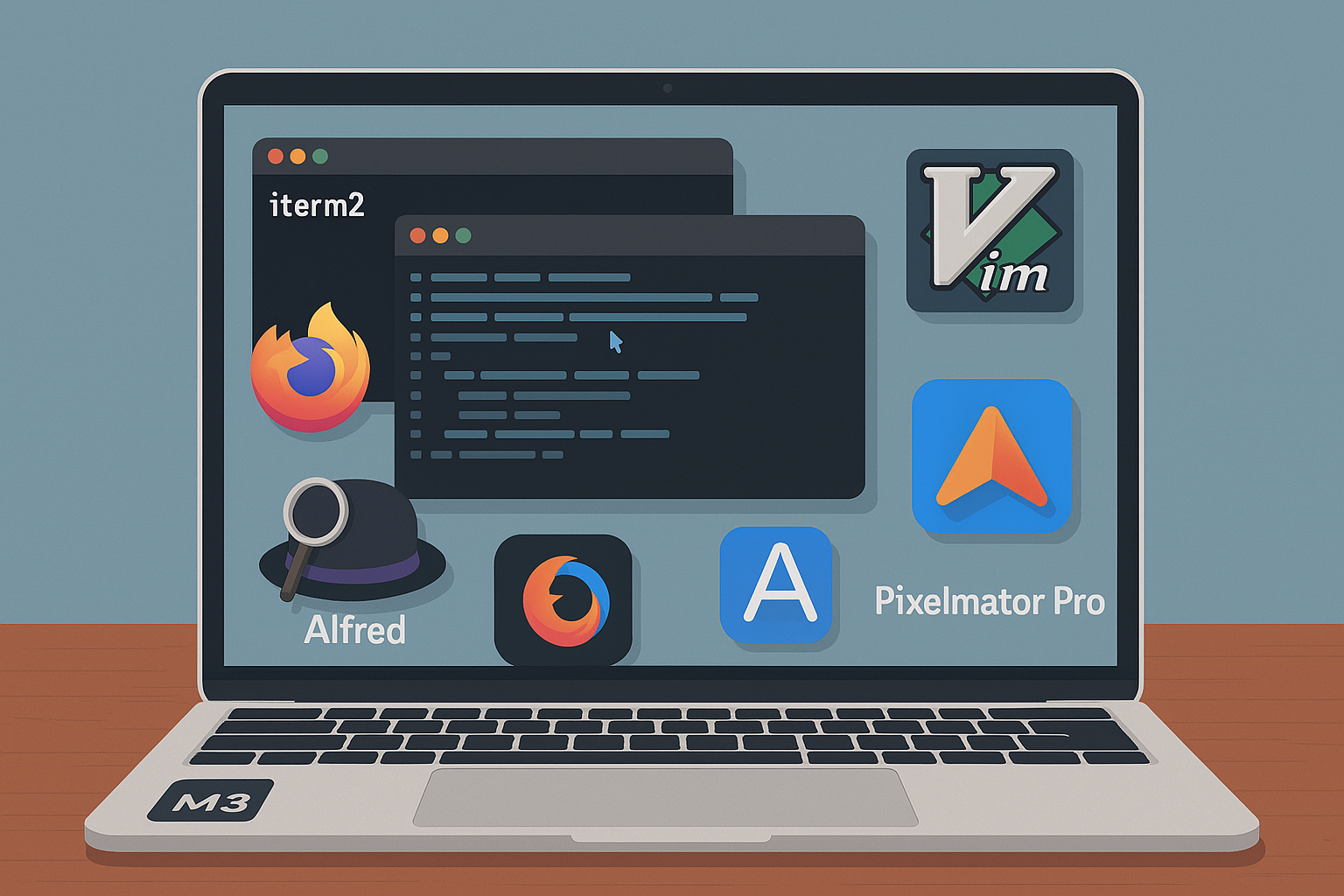
I use Firefox as my preferred browser because it’s open source and Google has enough of my data without including everything from my browser. Mozilla changed the longstanding “Copy Link Address” hotkey from “A” to “L” in Firefox 88 which really, really disrupted my workflow, so I wrote an extension to change it back which I can’t live without: https://addons.mozilla.org/en-US/firefox/addon/link-copy/. In addition to this extension, I use the Alfred Browser Integration (more on that later) and Proxy SwitchyOmega which is a tool that allows you to create proxy rules based on hostname or IP which is critical for systems tasks like interacting with servers via IPMI… and that’s it for browser extensions.
I use iterm2 as my terminal emulator because it kicks serious ass and is easily one of the best free pieces of software I’ve ever used. Some configurations I like for using it include setting the terminal backscroll to 50,000 lines (from 1,000) profiles > {profile} > terminal, a hotkey to send iterm2 to the back of all windows or bring it to the front (I use control + z), and this tab style arrangement for windows:
I use ctrl+tab to cycle through the tabs or option + {number} to jump to a specific window. You can do all kinds of other cool stuff with iterm2 as well, broadcast commands to all windows, anything you can imagine really. It’s really well designed software and I highly recommend donating to the developers for the incredible gift they have provided nerds everywhere .
I use zsh as my shell since it’s the default in MacOS (though I write all my scripts in bash) and some small customization via oh-my-zsh but really only for visual stuff like easier to read text and git information on my prompt:
In general, I try REALLY HARD to try and stick with the defaults wherever possible. This is because I work on servers and docker containers and kuberenetes pods and other remote hosts where the state and configuration of said host machine is often unknown and may not even be modifiable at all. So, much like the laptop theory, I try to learn and get proficient with the tools I will always have. I don’t need the fancy stuff from oh-my-zsh to work on a remote machine, but I might suffer if I spent time getting used to fzf for file browsing, for example.
This of course brings me to my default editor. I use vim:
Vim is pretty much available everywhere by default and it always works the same – it’s the tool I always have. This is good. On my Macbook I have shellcheck integrated, but it’s not really a requirement — and that’s it for plugins. For vim preferences, I’ll use the defaults in most cases or some very basic .vimrccustomization if it’s a long term host like the servers in my homelab, but again, I try not to do too many things that will make me useless or less productive if I don’t have them. Here’s a link to my very simple/basic dotfiles.
Software
One recurring theme about the software I use – I try to avoid SaaS at all costs. In general, if I can’t pay for it once and have it forever – options to pay to upgrade major versions are okay if the software is good enough – but paying monthly or it stops working? no. If I can’t find this or something that doesn’t need my specific need, I usually write a small program that does it. For example:
HackerNewsIcon – A macOS menu bar app I wrote that monitors Hacker News for top posts. Displays trending articles and notifies you when a new post reaches your set score threshold:
My colleague Chris Laffin somehow found this gem of a text editor app called TextMate which is another incredible piece of free software probably only second to iterm2 in the value it provides for its price. He put me and a few other systems folks onto it and we’ve been using it ever since. Native, performant, awesome. I use this like a scratch pad to hold temporary information or perform work that works better in a visual environment where it’s a better buffer than vim – and there are usually plenty of use cases for this: log files, for example.
Alfred – can’t live without this one, and I know most of my fellow Automatticians already use this or know about it. Alfred is basically my go-to for everything. I use it as a spotlight replacement and basically as the interface to my machine in parallel with my terminal. I can press command+space and instantly open any file on my system, run a translation, run something through an LLM (locally via ollama or remote), search anything in MGS/Slack/Matticspace, lock my machine… it’s basically how I use my computer. I also have hundreds of snippets for anything I have to type more than a few times including long terminal commands, common troubleshooting instructions, hell, even typing wp; expands to WordPress.com . As mentioned previously, I also have the browser integration installed so I can search any of my open browser tabs through this interface. As anyone who has went down a troubleshooting rabbit hole knows, this is a game-changer. Need to go back to that collins tab you were looking at 20 tabs ago? command + space then tab collins — game. changer.
Adium – I use this as a WordPress.com Jabber client to monitor p2s and get an instant notification when a new post, comment, etc is propagated. I get a lot of comments on how fast I reply or react to posts. This is my secret sauce 🙂
Magnet – I use this as a window manager. In general my screen is chaotic and and not all organized, but I have the magnet keyboard shortcuts memorized to quickly arrange something side by side or in quadrants if needed. I think MacOS might do window management by default now, but I’m used to Magnet and it was a one time purchase / not SaaS so I reap the benefit of being used to it and owning it forever 🙂
Pixelmator Pro – It’s like photoshop except maybe better and it was a one time purchase 🙂 — totally worth it. I use it for all my image generation needs. Well, almost all…..
ffmpeg – I mean this thing does everything. Video conversion, image conversion, video to gif, all kinds of other weird stuff. You may not know how to do it, but ffmpeg supports it
Amphetamine – this thing is cool. It keeps your mac display awake for however long you set it. I love software like this. It does one thing, does it well and does it reliably. I don’t want to modify my mac settings to do stuff, like keep the mac from sleeping when I’m running a time machine backup, so I set Amphetamine to 6 hours and lock my machine. Easy. Done. Never thought about it twice.
k9s – k9s is a TUI interface for managing a kubernetes cluster. This thing is invaluable and every day I pay homage to my colleague Chad or teaching me about it. I used to use Lens, but then they wanted money so I converted and haven’t looked back:
Wireshark – The industry standard tool for analyzing packets. Use it all the time in debugging.
ntfy.sh – This thing is a pretty cool notification app. I use it sometimes to send non-sensitive information to my phone. do thing; when done curl -d "$HOSTNAME thing is done" ntfy.sh/rudy_notification and I get a notification on my phone when thing is done. Cool.
Textual 7 – I use textual as do most other folks in systems at Automattic to interface with IRC. It’s a native app and I’ve tried lots of others and this thing seems to be the best. Per channel notifications based on string matches is the number one thing that makes this thing useful to me. The interface is also compact and easy to use.
Some other things obviously should go without saying – like yes I’m using Slack as my ephemeral communication tool and Homebrew as my Mac package manager. Yes I use Spotify to listen to music (one of the only app-based subscriptions I have!!!).
And that’s pretty much it. One of the first concepts taught when I was learning how to program computers was KISS, or, Keep it Simple, Stupid! and I’ve tried to carry this advice throughout my career and life when it comes to tech. Abstraction kills, simplicity scales, always apply first principles to every problem.
I would love to field questions about anything I’ve written here or hear from you about the software you can’t live without. Feel free to DM me or, even better, leave a comment here to discuss so all may benefit 🙂
This post was not written with the assistance of AI 🙂
In today’s digital landscape, privacy has become increasingly important. While many of us use VPNs on our personal devices, integrating VPN capabilities directly into containerized services offers a powerful and flexible approach to network isolation.
Here’s how a simple Docker container with NordVPN can transform your self-hosted services.
The Power of Isolated Networks
When running services on your home server or Linux machine, those services typically share your home network’s IP address. This presents a few challenges:
Privacy Exposure: All services inherit your home network’s digital footprint
Network Isolation: Limited ability to route specific services through different network paths
Fine-grained control: You can of course VPN the entire machine, but you may not want to do that.
Using Docker containers with built-in VPN capabilities solves all three of these problems elegantly.
Why Container-Level VPN Matters
The real power of this approach is the separation of network concerns:
Your host machine maintains its original IP address and network settings
Individual containers can operate on completely different networks via VPN
Multiple containers can use different VPN connections simultaneously
Network traffic is isolated at the container level
This architecture provides an exceptional level of control over your network topology without modifying your host machine’s configuration.
The docker-nordvpn-transmission Project
I recently published a project that demonstrates this concept perfectly: a Docker container that runs NordVPN with the Transmission BitTorrent client built-in. Everything works out of the box, you just need to pass it a token and a few config options.
The magic happens through a few simple components:
A Dockerfile that builds an Ubuntu container with the NordVPN client and Transmission
A startup script that handles the VPN connection before any services start
Docker Compose configuration that provides the necessary container capabilities
Helper scripts to verify and change VPN connections on the fly
With a single docker-compose up -d command, you get a container that:
Establishes a secure NordVPN connection
Starts Transmission with a web interface accessible on your local network
Routes all Transmission traffic through the VPN
Maintains its own unique IP address completely separate from your host
Beyond Torrenting: A Pattern for Network Isolation
While Transmission is included as a useful example, the real value is the pattern. This is kind of the most important part of the proof of concept for me.
This same approach can be applied to:
Web scrapers that need to appear from different regions
Media servers accessing geo-restricted content
Development environments that need to test region-specific features
Security tools that benefit from network isolation
Any service where you want network separation from your home IP
The Simplicity Is the Innovation
What makes this approach powerful is its simplicity:
services:
  vpn-container:
    build: .
    cap_add:
      - NET_ADMIN
    devices:
      - /dev/net/tun
    environment:
      NORDVPN_TOKEN: "your_token"
    # Mount your service config and data here
With just these few lines in a Docker Compose file, you can create containers with completely isolated network stacks. The pattern is reusable across any service you want to isolate.
The repository includes everything needed to get started, including helpful scripts to check your container’s IP address and verify it differs from your host machine.
Network isolation shouldn’t require complex networking setups or modifying your host machine’s configuration. With Docker containers and NordVPN, you can create isolated network environments for specific services with minimal setup.
The real power is in the pattern itself — a foundation for building privacy-focused containerized services that operate on networks completely separated from your home infrastructure.
So there’s been a ton of hype around Claude, and I recently watched the Fireship video talking about how good Claude 3.7 is—how it outperformed all these other models, this, that, blah blah—to the point where I actually became interested in it. It isn’t that normal for me to be interested enough to try some new AI tool. Don’t get me wrong: I think AI is cool, and it’s really nice for handling a lot of otherwise mundane and boring tasks, but if you’re trying to use it to solve new or complex problems…it’s usually more trouble than it’s worth.
In my experience, you really need to be familiar with the problem you’re asking it to solve. Otherwise, you’ll have no idea if it’s correct or not because, at their core, these LLMs are just trying to predict the next sequence of words that will make you happy. They’re not thinking. Sure, they’re getting more advanced, with backstops and more complex reasoning models, but at the end of the day, they’re just text prediction models.
Anyway, I say all of this because I actually paid the money, downloaded the Claude Code Terminal thing, and tried to get it to do something really simple. My prompt: I have a Mac running Sequoia 15.3.1, and I want you to put an icon at the top of the Mac. It doesn’t need to do anything, it just needs to be there and when I click it I should see a dropdown menu. If you know anything about Mac development, all that means is a Mac app that’s agent-only—it has no Dock icon, just an icon at the top of the screen. Simple enough, right?
Wrong. This thing, in like five dollars’ worth of prompts over multiple sessions, could not put an icon at the top of the Mac. It was ridiculous. It got so bad that, by the time we were finished, it was telling me there was probably a problem with my system and that I should reset the NVRAM on my Mac or take it to get repaired. lol.
This so-called advanced, crazy-good model? I am not sure what people are using it for. From what I can tell from the fireship video, it’s really good at solving LeetCode problems—which I have not found to be that useful when actually trying to actually build things—or supposedly it’s great for front-end web development, like TypeScript or React or whatever. But when it comes to putting an icon at the top of a Mac, it is… um… not good.
Anyway, after multiple tries, multiple sessions, multiple prompts—five dollars’ worth of credits, which is a lot of tokens—I went to ChatGPT. Not even their advanced o1 model, not the research mode, nothing crazy, just regular GPT-4o. I asked the same thing, and first try, it gave me the code and instructions to put an icon in the freaking Mac 😆.
So yeah, I’m not sure if Claude is as good as everyone’s making it out to be or if perhaps it just can’t put an icon at the top of a MacOS computer. I still think AI is more of a supplemental tool than a developer replacement at this point.
All that being said, the reason I wanted an icon in the first place is that I check Hacker News daily, and it’s easy to forget to go there. Sometimes there’s nothing good, and sometimes I just forget. So what I wanted was a little icon at the top of the Mac that would show the newest five items from Hacker News with over a certain threshold of points—by default, 250, but that can be changed in the preferences.
That way, whenever I open my Mac, the most recent popular posts with over 250 points are right there. I set it to check once an hour throughout the day, so if something new pops up that meets the threshold, I get a little blip—a beep, a ping, whatever—and it reminds me, oh, OK, maybe there’s something interesting there. And if it gets too noisy, you can just increase the threshold, or if you want to see things more often, you can decrease it. If something looks interesting, clicking it will take you directly to the article:
So, my homelab decided to throw me a curveball this week. The SSD in my trusty Dell Optiplex 9020, one of the servers running in my half rack, decided it was time to retire. Drives fail all the time, and since I had to replace it anyway I thought I’d film it and upload to YouTube to help someone that’s never done it before. Hopefully someone finds it useful!
When working with people who don’t use a Unix-based operating system, you’ll often come across the SSH2 Public Key format. PuTTY is probably the most famous software using this format and nearly everyone on Windows uses it. To give these windows ssh users access to a Linux system, SFTP server, Git repository or other systems that use the OpenSSH key format, you need to convert an SSH2 public key into the OpenSSH format. This article describes how to do exactly that.
Okay, onto the openssh key converting goodness!
The Problem: SSH2-formatted keys
You receive an openssh-formatted public key looking like this:
---- BEGIN SSH2 PUBLIC KEY ----
Comment: "rsa-key-20160402"
AAAAB3NzaC1yc2EAAAABJQAAAgEAiL0jjDdFqK/kYThqKt7THrjABTPWvXmB3URI
pGKCP/jZlSuCUP3Oc+IxuFeXSIMvVIYeW2PZAjXQGTn60XzPHr+M0NoGcPAvzZf2
u57aX3YKaL93cZSBHR97H+XhcYdrm7ATwfjMDgfgj7+VTvW4nI46Z+qjxmYifc8u
VELolg1TDHWY789ggcdvy92oGjB0VUgMEywrOP+LS0DgG4dmkoUBWGP9dvYcPZDU
F4q0XY9ZHhvyPWEZ3o2vETTrEJr9QHYwgjmFfJn2VFNnD/4qeDDHOmSlDgEOfQcZ
Im+XUOn9eVsv//dAPSY/yMJXf8d0ZSm+VS29QShMjA4R+7yh5WhsIhouBRno2PpE
VVb37Xwe3V6U3o9UnQ3ADtL75DbrZ5beNWcmKzlJ7jVX5QzHSBAnePbBx/fyeP/f
144xPtJWB3jW/kXjtPyWjpzGndaPQ0WgXkbf8fvIuB3NJTTcZ7PeIKnLaMIzT5XN
CR+xobvdC8J9d6k84/q/laJKF3G8KbRGPNwnoVg1cwWFez+dzqo2ypcTtv/20yAm
z86EvuohZoWrtoWvkZLCoyxdqO93ymEjgHAn2bsIWyOODtXovxAJqPgk3dxM1f9P
AEQwc1bG+Z/Gc1Fd8DncgxyhKSQzLsfWroTnIn8wsnmhPJtaZWNuT5BJa8GhnzX0
9g6nhbk=
---- END SSH2 PUBLIC KEY ----
And want to convert it to an ssh key format like this:
Solution: Convert the SSH2-formatted key to OpenSSH
You can do this with a very simple command:
ssh-keygen -i -f ssh2.pub > openssh.pub
The command above will take the key from the file ssh2.pub and write it to openssh.pub.
If you just want to look at the openssh key material, or have it ready for copy and paste, then you don’t have to worry about piping stdout into a file (same command as above, without the last part):
ssh-keygen -i -f ssh2.pub
This will simply display the public key in the OpenSSH format.
A more practical example of this might be converting and appending a coworker’s key to a server’s authorized keys file. This can be achieved using the following command:
After this a coworker, using the according private key will be able to log into the system as the user who runs this command.
The Other Direction: Converting SSH2 keys to the OpenSSH Format
The opposite — converting OpenSSH to SSH2 keys — is also possible, of course. Simply use the -e (for export) flag, instead of -i (for import).
ssh-keygen -e -f openssh.pub > ssh2.pub
Conclusion
Knowing these kinds of essential Linux tools can make your life as a sysadmin much easier. Converting an SSH2 key to OpenSSH is something that you’ll find yourself doing on a fairly irregular basis, so it’s good to have the command written down somewhere.
Consider starting a “useful_commands.txt” file, or just keep a link to this post in your bookmarks.
I hope you enjoyed this little article! If you have any questions, please comment. For more information on dealing with SSH Keys you might want to take a look at the ssh-keygen manual page (type man ssh-keygen into your terminal). It’s a good idea to read over a few of the options that this command provides.
As I mentioned in my last post, I was able to hook up with a local team from The Greater Gaming Society of San Antonio and participate in this year’s Global Game Jam. Global Game Jam® (GGJ) is the world’s largest game creation event taking place around the globe. This year’s theme was “lost and found” and the team decided that a private investigation / noir type game would be fun. So my teammate Ansley spun up some art and Wes composed some music and we got to work. We ended up naming the game “Chase Ventura: Kid Detective” – a mystery game where you have to find clues as the neighborhood kid sleuth to “solve cases”.
The game’s title screen
Overall it was a super cool experience. I was lucky to have a great team; they produced super quality assets to work with and were great at communicating and providing feedback. I wish there had been more time to implement all of the ideas, there was just too much to do in such a short amount of time. I guess that’s the nature of game jams though. I also wrote the game’s systems from scratch and that detracted a lot of time as well. Unfortunately with four hours to go and tons to do, I had to strip virtually every idea out of the game to get something shipped, so you basically get a cut-scene, and then walk around the neighborhood and talk to the various characters Ansley created. Fortunately I feel like our team was on the same page and the game, the art, and the music fit well together. Here are some stills from the game:
I put up a little time-lapse of the last four hours of the Jam condensed to 10 minutes (the deadline was at 5pm CST and I think I submitted at 4:56pm):
I’m super thankful to my wife for being supportive as I basically spent 48 hours binging over code. Also a big thanks to John and his team over at the Greater Gaming Society of San Antonio for putting on the event and helping me get on a team to participate.
If you haven’t ever done a game jam I think it’s a great exercise from a development perspective for a few reasons:
Even though I broke every programming best practice, from DRY to bad spaghetti code, the time constraints force you to move forward with the mistakes and take the least path of resistance at every turn, forcing you to write a lot more code and figure out problems quickly on the fly.
Letting your team dictate the idea and direction of the game takes you out of your comfort zone for games or projects you would normally make.
Reviewing your own code after the fact gives you an opportunity to review what you could have done to make the code better / more extensible if you had ideal conditions.
While it was stressful, It’s also great fun in general. We also ended up taking second place out of our portion of the GGJ, and I am pretty happy about that 😀.
It looks like it has been about 2 months since my last post 😬! November and December were crazy months for me in both my work and personal life. 2020 kept coming until the bitter end…
When I wasn’t up to my eyebrows in work, I carved out some time to finally work on and complete the multiplayer board game I had been working on since September:
Cavatars (Codenames with Avatars – clever I know) is a fully functioning multiplayer game playable in a web browser. I developed it in JavaScript using NodeJS, Socket.io, and Phaser3. The full source code is on GitHub:
It’s not the greatest thing I’ve ever written but it plays like it was intended. What I was most surprised about when testing it with friends was how well the latency responded across multiple states. We had players in California, Texas, and Nevada with the server being located in San Francisco, and there was no visible lag:
Cavatars’ maiden voyage 🚢
Far more importantly though, the project allowed me to meet all of the goals I set when I started this project. All of the decisions I made when developing the game were for specific purposes:
Far greater proficiency in JavaScript, which I considered my weakest language at the time.
Better understanding of multiplayer gaming, client/server network architecture.
Learn Phaser3, a framework I have never used before.
As one of my friends pointed out, there is no real purpose to the movement of the characters other than the fact it was to hone in on the movement for later projects down the road – which brings me into some of the stuff I have on the table for 2021.
Building on the art kit I purchased and set of skills I developed to finish Cavatars, I have decided to start working on some other, longer term projects:
Working on a Final Fantasy Tactics type game with my friend Travis. The game is yet to be named and we are in the very early stages. Travis brings a wealth of game knowledge and experience to the table and will handle most of the mechanics, balance, and lore. I will be handling all systems, programming, and development.
Working on a longer term MMO passion project. These sprites and this art kit are perfect to put something like that together, so why not. There aren’t many 2D mmos that have come out in recent memory, so the idea of chipping away at one over the next few years seems exciting!
Working on a smaller game to ship earlier, I’m thinking about a 1v1 multiplayer PVP arena type game.
Aside from that, I reached out to The Greater Gaming Society of San Antonio which is a game development community in San Antonio that apparently has some folks participating in the upcoming Global Game Jam taking place this week, January 27-31. With any luck I’ll be able to connect with a team and follow up with a post about my experience 🙂
I spent this past weekend attending Handmade Seattle which is an independent, low level programming conference. It is usually held in Seattle but due to the ongoing COVID-19 pandemic, this year’s conference was held online.
First things first: wow. I was blown away.
I was really impressed at the quality of speakers and the content they brought to the table. It never ceases to amaze me how many smart folks are out there deep diving into complicated topics and sharing what they learn with the rest of us. Huge kudos as well to Abner Coimbre for organizing the event and the job he did facilitating as its host. Abner did a fantastic job of being professional and informed with the topics he discussed with the speakers while managing to keep it real in true indie fashion 😎.
Some of the talks were interviews between the speakers and the host, some were pre-recorded presentations or podcasts, but all ended with a Q&A with the speakers where all ticket holders were able to engage directly with the speakers using a private Matrix chat for which an invite was sent upon ticket purchase. It was really cool to see Matrix used like this in the wild, especially as it’s a project that my company recently invested millions into. I love the idea of this open, decentralized communication platform of the future. If you do too, we’re hiring engineers to help bring Matrix to Automattic 😊.
Without further ado – I have included a list of the speakers below with a brief take on some of their topics with links to where you can check out more of what some of these folks are doing.
Speakers: Day 1, November 14th 2020
Freya Holmér Indie Game Dev – Developing Shader Expertise
This was my first exposure to Freya as I haven’t dipped many toes into the shader world but oh. my. god. This is the person that accidentally created the industry standard shader editor for the biggest game engine in 2014?
What a way to kick off this conference. Freya spoke heavily to the value in focusing on one thing and really digging down. In that, however, she emphasized a few points that I think is fantastic advice in general:
Only learn the things you need to learn to do what you need to do.
Don’t try to step into dozens of different topics, drill down and master one.
Laser focus on one thing will result in getting more done faster.
I love this because it’s a super common problem in the tech world and for learning in general. You start working on a project, but there is so much to learn that it’s easy to get distracted or never progress because you start looking into the various adjacent technologies. You end up becoming okay at the basics in a dozen technologies but have no deep understanding required to truly innovate.
By the way, her YouTube channel is so good. Among other things, she has a dedicated series called “Math for Game Devs” which will make you a better game developer.
Nuno Leiria Polystream Senior Engineer – Modern CPU Optimizations: From the kernel to the cloud
This was so good. I know I probably sound like a broken record, but wow. Here was a AAA production solve for a performance bottleneck. The first obstacle had all of us laughing. Whoever had “Adobe Updater on the Server” on their systems bingo card, cash in that ticket!
Beyond that, Nuno orchestrated a deep dive into performance profiling. On this particular project, he and his team went so deep into the matrix that they ended up discovering a bug in the Microsoft kernel. What’s more, they were able to provide specific enough information to have that bug patched, fixing their application.
Yes, I couldn’t believe Microsoft actually patched a kernel bug either 😊.
Joey de Vries Author – The History behind learnopengl.com
Really great talk about the history behind learnopengl.com and how Joey ended up starting what many to be the definitive resource behind learning what is basically the industry standard in graphics rendering.
Joey also has a new book: Learn OpenGL: Learn Modern OpenGL Graphics Programming in a Step-by-step Fashion which I will definitely be picking up!
Ramón Santamaría Epic MegaGrants Recipient – Developing a Handmade Mindset for raylib
This guy. I have pretty much been Ramón’s self-proclaimed #1 fan for about a year now, and I knew that this talk was going to be amazing but holy moly.
How do you make an entrance into an indie programming conference? How about starting your presentation by compiling it from vanilla C source to web live using the software you wrote.
Do you think it stopped there? Um…..
I can fit on zero hands the amount of folks that thought guitar, cooking, and tree pruning would be the core tenants of a software conference talk.
Ramón expertly translated how he applied these three passions from his life to his approach to software development. I won’t be able to give this talk its due justice here, so I highly recommend checking out the recorded video.
Elizabeth Baumel Unity3D Engineer – You CAN Teach an Old Programmer New Paradigms!
Data Oriented Design. This is the content I purchased my ticket for. Elizabeth teaches DOD for a living and expertly broke down components of DOD using various worksheets throughout her talk:
This is my favorite software presentation slide ever:
Andrew Kelley, Ginger Bill, Joshua Huelsman Compiler Writers – The Race to Replace C and C++
Excellent podcast between uber smart developers who work heavily with compilers and bring different perspectives to the table. Bill is the creator of the Odin Programming Language and converted many of his strong opinions into actions into his programming language. Josh is the creator of the Jiyu programming language and also worked on Johnathan Blow‘s upcoming Jai Language at Thekla. Andrew is the creator of the Zig Programming language. Abner keeps everything in order 😊.
Gal Zaban Security Researcher – Linux Kernel Adventures: Reversing & Exploiting a Linux Driver
🤯. A very humbling talk about exploiting systems via kernel device drivers. Gal’s talk goes deep into the matrix, discussing and breaking down ioctl syscalls in depth.
This is one of those talks I’ll need to watch again….more than once 😅.
Vegard Nossum Kernel Developer – Parallelisation in the Linux Kernel
Outstanding presentation from a true legend in the space. Check out this rig that his friend built:
This is a computer with 6,144 cores. Yes, Linux supports this.
As a point of reference, Windows supports a max of 256 cores.
Linux Parallelism is state-of-the-art
Vegard Nossum
This talk perfectly covered the topics required to understand parallelism without going too deep into the rabbit hole on each branch (note: it is easy to do this). This is another talk I’m not capable of delivering justice to and highly recommend checking out Vegard’s work, white paper, and the talk itself.
Hannah Gamiel & Eric A. Anderson Myst VR Directors – Cyan, Inc.
Myst is upcoming VR game – but you already knew that. This interview was a cool chat between Abner and the directors of the project.
One recurring topic in the podcast was the obstacles encountered via a sudden switch to remote work during the global pandemic. In the private chat I told Hannah she could reach out if she wanted some insight on some best practices, as I know a few folks who set the gold standard for remote work 😏.
Other than that, it was just super cool getting a behind the scenes look at the folks @ Cyan and how they approached work on Myst and their transition to remote.
Randy is a legend in the low level programming game space. If you’ve ever worked in this area you know about the Cute Header Libraries.
This talk highlighted how good these small and useful libraries actually are and referenced future improvements I wasn’t even aware of, like networking libraries supporting both TCP and UDP. He also laid out the roadmap for the project and what we can expect to be released within the next year or so. It’s always cool to know awesome projects are under active development working towards features everyone wants 😀.
Abner Coimbre System Software Engineer – A New Terminal Emulator
I was super looking forward to this as I basically live in the terminal, but it was postponed and totally understandably so. Abner has a working demo and is ready to present but was working so hard to host and keep everything organized that he chose to delay this a bit. Respect.
Allen Webster, Ryan Fleury The How And Why Of Reinventing The Wheel / (Introduction To Dion)
DION
DION
DION!!
It turns out the hype was worth the wait as Allen and Ryan revealed Dion to the world in a big way.
These guys weren’t kidding about reinventing the wheel. Imagine programming as you know it re imagined. When writing this I had a really hard time defining everything I was seeing, so I’ll let Ryan share his take:
Dion is our experiment at a new iteration of what it means to program. Our existing programming tools are hamstrung, and it shows; they are often dumber, slower, and more difficult to use than it feels like they should be. We (Dion Systems) have a theory about why that is, and we’re focused in on demonstrating what we think is the solution.
Dion aims to be an entire computing environment with one key tweak to the architecture of the programming systems we’re familiar with. Instead of storing code as text files, we store it as a more direct, structured representation that more closely maps to a traditional abstract syntax tree (which is a data structure that a compiler, for example, will use to store extracted semantic information from code).
Instead of storing code as text files, we store it as a more direct, structured representation that more closely maps to a traditional abstract syntax tree
This key tweak opens many doors. We now have the freedom to render code in different ways, achieve much smarter tools with much less effort, iterate on the user-interface and user-experience of the programmer, surface more sophisticated information about code, provide more insight for experts, improve the educational experience for beginners, and more, all with much less work.
We’re not done with our experiment, and our demo is just a first glimpse into the kind of future that rethinking the architecture of our programming environments can bring, but we’re really excited with what we’ve found so far, and wanted to share that vision with the Handmade community.
our demo is just a first glimpse into the kind of future that rethinking the architecture of our programming environments can bring
There were too many “omg” moments for me to count but a few include:
All functions/procedures can be built by themselves.
How you view the code is up to you. Inline braces, newline braces, no braces, it’s all on the table.
Instant feedback on changes, errors, etc. The system knows not to build until something is fixed.
Zooming in and out on code granularity. This is crazy to watch. You can look at all definitions and calls, or just the calls or definitions.
Function arguments, variable declarations update their references instantly. By the way, this isn’t matching a string to do it. What? 🤯
I’m so excited to see where this project goes. There are a few hurdles the team will need to overcome (e.g. version control) – but there are more possibilities than there are obstacles…. you can count on that.
Between the interviews, there were “5 minute indie demos” which showcased some extremely interesting up-and-coming projects. Here were a couple that stood out to me:
Ripcord
This is one of the coolest cross-platform chat clients I’ve seen in a long time. It reminds me a lot of the old Trillian days. Remember Trillian? It would bring your AIM/ICQ/IRC convos into a single client.
Built in qt, it is a program designed to bring all of your various modern-day chat programs into one place in a localized client – without needing four 2GB electron apps murdering all of your CPU and RAM.
From the website, check out some of the features (emphasis mine):
Features
Not made from a web browser
Tabs
Multiple windows
Multiple accounts
Voice chat (Discord OK, Slack WIP)
Graphical emoji and custom emoji
Tab completion for user names and emoji
Customizable fonts, colors, and sizes
Custom bookmark lists for easily accessing only the channels you actually use
Variable DPI and multi-monitor support
Low CPU and memory usage
Zero GPU usage
No tracking or analytics
No installer or forced updates
Here are some screenshots of the software:
I’m already tooling around with this, and really excited to see how this project evolves!
WhiteBox
A really cool tool that compiles, runs, and debugs real time as you write code 😲. Is there more to say? Check it out below:
The code has always been on GitHub, but has lived in a private repository which is now public. The code itself isn’t the finest example of best practices programming or game development programming, but there is a single dependency (raylib) and I can say with confidence that I wrote every line of the code from scratch. There are also some live videos out there for most of the development process.
I also wrote successful build scripts to four platforms: Windows, GNU/Linux, MacOS, and Web (HTML5/WASM). It’s never code I’ll look back on and think is great, but it *is* code that I’m proud to have written. It also served its purpose: make a small game from scratch in C programming, and learn and use raylib.
I couldn’t be more happy for @raysan5 and his project. He is a great developer, nice person, and is totally deserving of this awesome recognition!
Back to the code. My hopes in making it open source is that folks learning C programming or raylib can have another source of reference for a working, published game. Perhaps someone will even fork the project and improve on it, isn’t open source amazing? 😁
What’s next for me? Well, I have a few things on my plate at the moment. There are some work projects that are taking up the bulk of my time, but in addition to that, I plan on participating in Miziziziz‘s 48 hour game jam in four days. I was thinking about using Godot for the first time in this jam to learn it, but I also might use C and Raylib 😁. The concept of these jams that Miziziziz does is pretty cool: multiple game developers use the same art kit and have 48 hours to create a game with it. Here’s an example:
Aside from that, I have been working to stay healthy and sane during these unprecedented times. Exercising a bit and trying to stay sharp and productive – I have also been playing a little bit of Starcraft2 and Hearthstone after a long, long break from gaming in general 😊.
After the game jam, I was thinking about starting my next big project/game to chip away at for a long time. I have some ideas, and I’m thinking about an RPG/Roguelike as the general idea, but hopefully completely different than anything anyone’s seen before. I have some ideas 🤠.